

Portkey handles the “what happened, how fast, and how much did it cost?” while FutureAGI answers “how good was the response?”
Why FutureAGI + Portkey?
The integration creates a powerful synergy:- Portkey acts as the operational layer - unifying API calls, managing keys, and monitoring metrics like latency, cost, and request volume
- FutureAGI acts as the quality layer - capturing full request context and running automated evaluations to score model outputs
Getting Started
Prerequisites
Before integrating FutureAGI with Portkey, ensure you have:- Python 3.8+ installed
- API Keys:
- Portkey API Key
- FutureAGI API Key
- AI Providers configured in your Model Catalog
Installation
Setting up Environment Variables
Create a.env file in your project root:
Integration Guide
Step 1: Basic Setup
Import the necessary libraries and configure your environment:Step 2: Configure FutureAGI Tracing
Set up comprehensive evaluation tags to automatically assess model responses:The
mapping parameter in EvalTag tells the evaluator where to find the necessary data within the trace. This is crucial for accurate evaluation.Step 3: Define Models and Test Scenarios
Configure the models you want to test and create test scenarios:Step 4: Execute Tests with Automatic Evaluation
Run tests on each model while capturing both operational metrics and quality evaluations:Viewing Results
After running your tests, you’ll have two powerful dashboards to analyze performance:FutureAGI Dashboard - Quality View
Navigate to the Prototype Tab in your FutureAGI Dashboard to find your “Model-Benchmarking” project.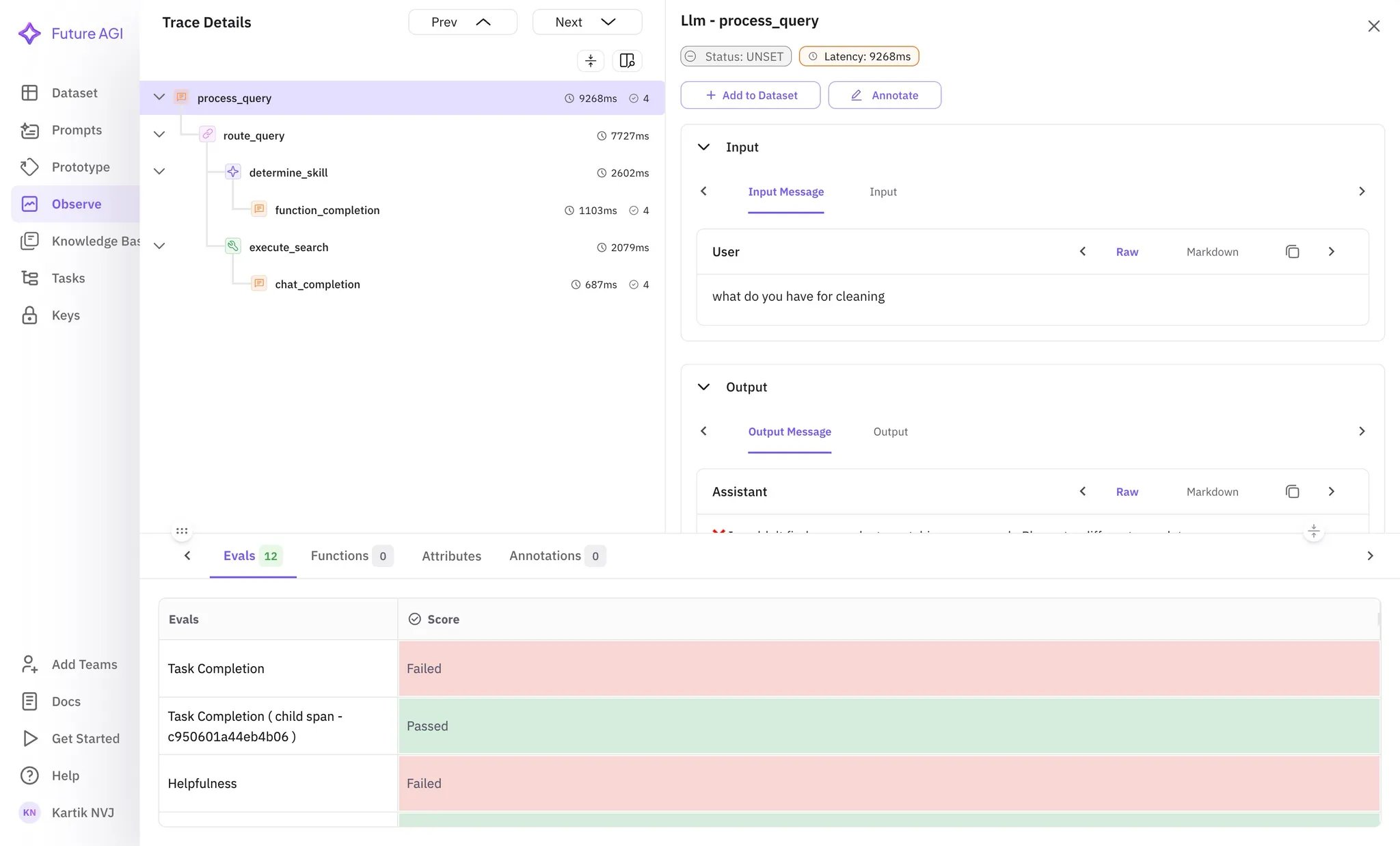
- Automated evaluation scores for each model response
- Detailed trace analysis with quality metrics
- Comparison views across different models
Portkey Dashboard - Operational View
Access your Portkey dashboard to see operational metrics for all API calls: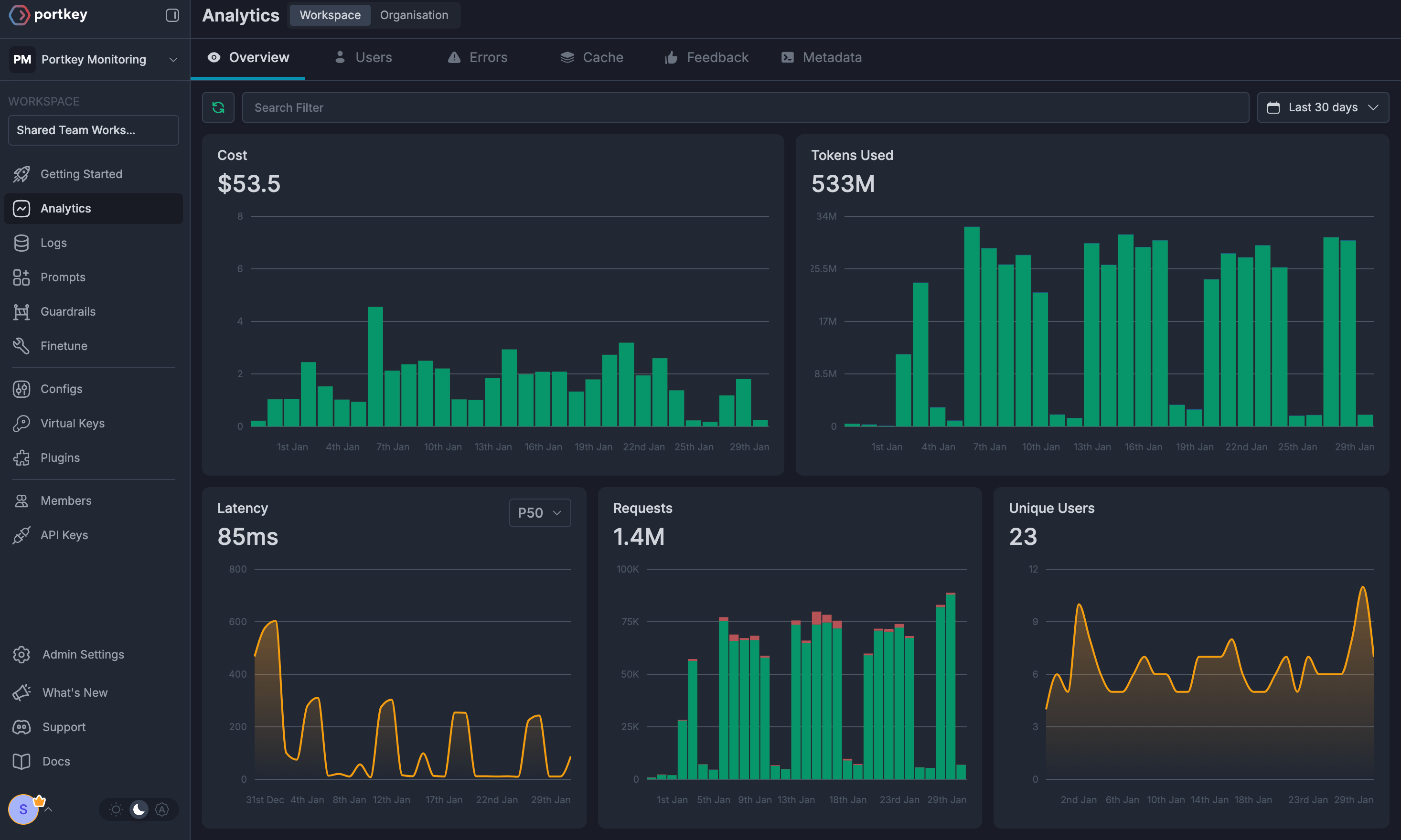
- Unified Logs: Single view of all requests across providers
- Cost Tracking: Automatic cost calculation for every call
- Latency Monitoring: Response time comparisons across models
- Token Usage: Detailed token consumption analytics
Advanced Use Cases
Complex Agentic Workflows
The integration supports tracing complex workflows where you chain multiple LLM calls:CI/CD Integration
Leverage this integration in your CI/CD pipelines for:- Automated Model Testing: Run evaluation suites on new model versions
- Quality Gates: Set thresholds for evaluation scores before deployment
- Performance Monitoring: Track degradation in model quality over time
- Cost Optimization: Monitor and alert on cost spikes
Benefits
Comprehensive Observability
Track both operational metrics (cost, latency) and quality metrics (accuracy, relevance) in one place
Automated Evaluation
No manual evaluation needed - FutureAGI automatically scores responses on multiple dimensions
Multi-Model Comparison
Easily compare different models side-by-side on the same tasks
Production Ready
Built-in alerting and monitoring for your production LLM applications
Example Notebooks
Interactive Colab Notebook
Try out the FutureAGI + Portkey integration with our interactive notebook
Next Steps
- Create your FutureAGI account
- Set up AI Providers in Portkey
- Run the example code to see automated evaluation in action
- Customize evaluation tags for your specific use cases
- Integrate into your CI/CD pipeline for continuous model quality monitoring
For advanced configurations and custom evaluators, check out the FutureAGI documentation and join our Discord community for support.